Every bank statement is a record of your financial life — but without categories, it is just a list of numbers and cryptic narration codes. "UPI/CR/SWIGGY/98765" tells you a payment happened; categorizing it as Food & Dining tells you where your money actually goes. Transaction categorization transforms raw bank data into meaningful financial intelligence.
Whether you are tracking personal expenses, filing income tax returns, managing a business, or preparing reconciliation reports for clients, categorization is the step that makes bank data genuinely useful. This guide explains what transaction categorization is, why it matters, which categories to use, and how modern AI tools like StatementHub can automate the entire process — saving hours of manual work every month.
What is Transaction Categorization?
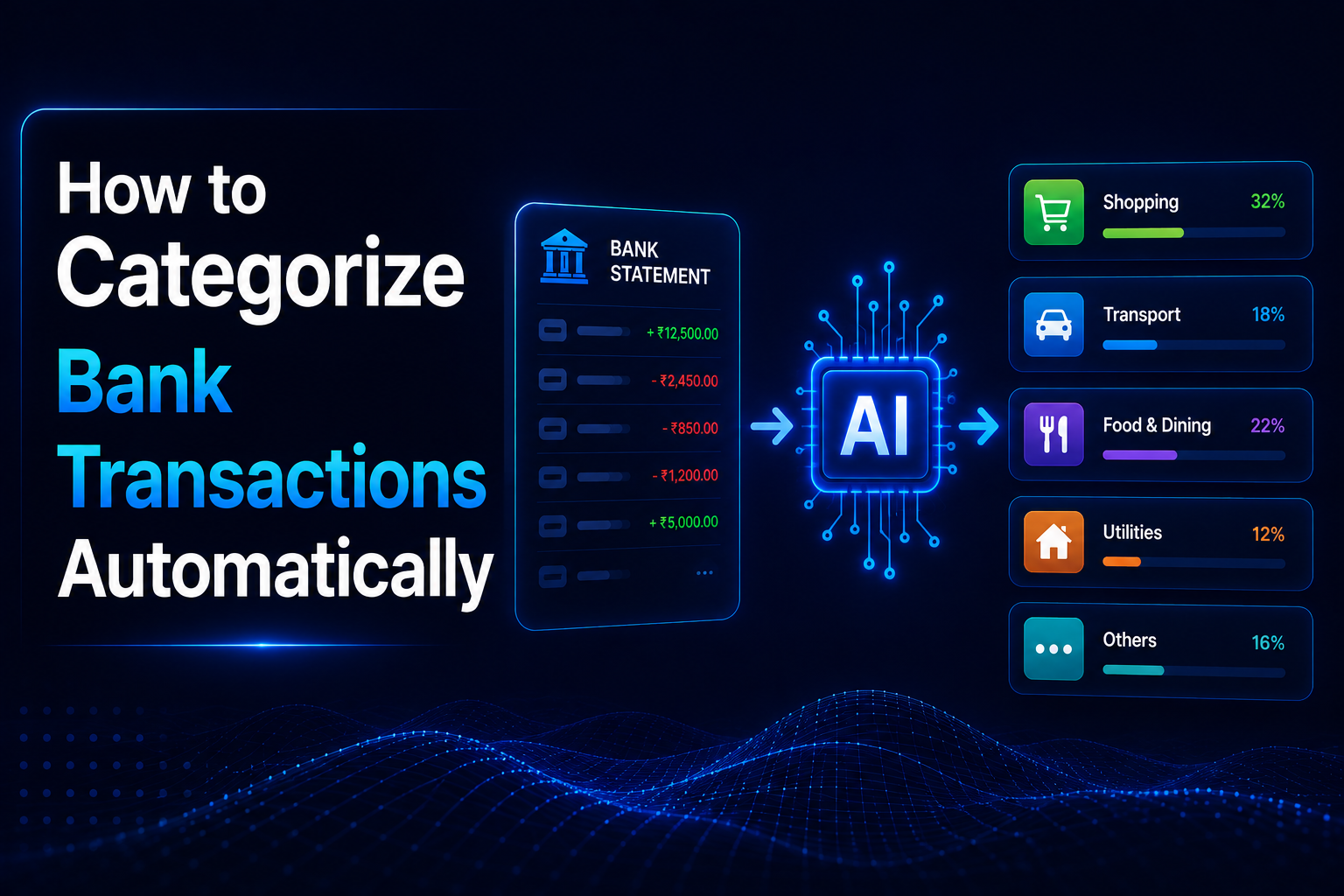
Transaction categorization is the process of assigning each bank transaction a label that describes its purpose. Instead of a raw list of debits and credits, you get structured spending data:
- ₹2,400 to SWIGGY → Food & Dining
- ₹45,000 to XYZ PROPERTIES → Housing / Rent
- ₹75,000 credit from EMPLOYER → Salary / Income
- ₹5,000 to HDFC CREDIT CARD → Financial Payments
- ₹3,000 to ZERODHA SIP → Investments
Categorization can happen in three ways. Rule-based categorization uses keyword matching — if the narration contains "SWIGGY", assign Food. Manual categorization has a human review each row and assign a label. AI-powered categorization uses machine learning models trained on millions of transactions to infer the correct category from the narration text, amount, merchant type, and transaction pattern — even when the narration is an opaque code.
Key insight: Indian bank statement narrations are notoriously inconsistent. The same merchant might appear as "UPI/SWIGGY TECHNOLOGIES", "SWIGGY ORDER 98765", or "POS SWIGGY BNGLR". AI categorization handles all variants; keyword lists cannot.
Why Categorizing Transactions Matters
Categorized bank data unlocks insights that are impossible to extract from raw transaction lists. The benefits differ depending on who is doing the categorizing:
| User Type | Primary Use Case | Key Benefit |
|---|---|---|
| Individual / Salaried | Monthly budgeting | See exactly where money goes — food, transport, entertainment — and identify where to cut |
| Freelancer | ITR filing and tax deductions | Separate business expenses from personal spending to maximize legitimate deductions |
| Business Owner | Cash flow management | Map bank transactions to P&L line items; track operating vs capital expenses |
| CA / Accountant | Client reconciliation | Match categorized transactions to ledger entries; prepare financial reports faster |
| Startup / Finance Team | Expense reporting | Categorize reimbursable expenses, vendor payments, and payroll from a single bank feed |
For individuals, categorization answers the most common financial question: "Where did my salary go this month?" For businesses, it answers the more consequential one: "Are our costs under control?" For CAs, categorized statements cut reconciliation time from hours to minutes.
Categorization is also essential for GST compliance. Identifying purchases that are eligible for input tax credit requires separating business expenses (which may qualify) from personal or exempt expenses (which do not). Without categorized bank data, this analysis requires reviewing every transaction individually — a time-intensive task for any business with active transactions.
Common Transaction Categories Explained
The right category set depends on your purpose. Personal finance apps use different buckets than accounting software. Here are the most widely used categories for Indian bank statements, with the typical narration patterns that indicate each:
Income
Any credit that represents money earned — freelance payments, client transfers, rental income, interest earned, dividend credits, or refunds. Narration patterns: NEFT CR from known payors, UPI credits from business contacts, INT CREDIT, DIVIDEND.
Salary
Regular monthly credits from an employer. Typically a fixed amount arriving on a predictable date. Narration patterns: SALARY, SAL, PAYROLL CREDIT, NEFT from company name. For business accounts, outgoing salaries to employees also fall here.
Bills & Utilities
Recurring monthly payments for essential services — electricity, water, internet, mobile recharge, insurance premiums. Narration patterns: BESCOM, MSEB, TATA POWER, AIRTEL, BSNL, JIO RECHARGE, LIC PREMIUM, BAJAJ ALLIANZ.
Shopping
Retail and e-commerce purchases — clothing, electronics, household goods, books. Narration patterns: AMAZON, FLIPKART, MYNTRA, AJIO, MEESHO, NYKAA, POS transactions at retail stores.
Food & Dining
Restaurant bills, food delivery apps, grocery stores, and quick commerce. Narration patterns: SWIGGY, ZOMATO, BLINKIT, BIGBASKET, ZEPTO, DMART, MORE, POS at restaurants and cafes.
Travel
Cab bookings, fuel purchases, flight and train tickets, hotel stays, toll payments. Narration patterns: OLA, UBER, RAPIDO, IRCTC, MAKEMYTRIP, GOIBIBO, PETROL BUNK, FASTAG TOLL.
Investments
Mutual fund SIPs, stock purchases, recurring deposits, PPF contributions, NPS, and other wealth-building instruments. Narration patterns: SIP DEBIT, ZERODHA, GROWW, ANGEL BROKING, PPF CONTRIBUTION, NPS TIER, RD INSTALLMENT.
EMIs & Loan Payments
Monthly installments on home loans, personal loans, vehicle loans, and buy-now-pay-later plans. Narration patterns: EMI, LOAN INSTALMENT, NACH DR, ECS DR with lender name.
Pro tip: Keep your category list focused — 10 to 15 categories is ideal. Too many categories (30+) makes analysis harder, not easier. Group minor categories under broader buckets and use sub-categories only when a specific breakdown has real analytical value.
Manual Categorization vs AI-Powered Categorization
There are two realistic approaches to categorizing bank transactions: doing it manually in Excel, or letting an AI do it automatically. Both have their place, but the trade-offs are significant at scale.
| Factor | Manual (Excel SUMIF) | AI-Powered (StatementHub) |
|---|---|---|
| Speed | 5–10 seconds per transaction | Entire statement in seconds |
| Scale | Impractical beyond 100 transactions/month | Handles thousands of transactions instantly |
| Accuracy | High for clear cases; fails on ambiguous narrations | 90%+ accuracy; handles narration variants automatically |
| Consistency | Varies by reviewer and fatigue level | Perfectly consistent rule application every time |
| Maintenance | Keyword list needs constant updates | AI adapts to new merchants and narration formats |
| Cost | Hours of manual time per statement | Included in the conversion — no extra effort |
| Edge cases | Requires human judgment on each one | Context-aware: uses amount, date, and pattern to resolve ambiguity |
How Manual Categorization Works in Excel
The standard manual approach uses a keyword reference table and SUMIF formulas. Create a two-column table mapping narration keywords to categories (e.g., "SWIGGY" → "Food", "AIRTEL" → "Bills"). Then use a formula like =INDEX(CategoryTable,MATCH(TRUE,ISNUMBER(SEARCH(KeywordList,A2)),0)) to look up the first matching keyword for each transaction narration.
This approach works reasonably well for 30–50 transactions per month with consistent narrations. The problems emerge quickly as scale increases: Indian bank narrations include UPI reference IDs, bank-specific codes, and truncated merchant names that do not match simple keyword lists. A keyword that works for one bank's format of "AMAZON" may miss another bank's "AMZ*INDIA" or "AMAZON SELLER".
Keyword lists require ongoing maintenance. Every new merchant, payment mode, or narration format change requires manual updates. For a CA processing 20 client statements monthly, maintaining reliable keyword lists for each client's unique transaction patterns is a significant ongoing burden.
Why AI Categorization Is More Reliable
AI categorization is trained on the actual narration patterns produced by each bank's statement system. It understands that "UPI/P2M/SWIGGY TECHNOLOGIES PRIVATE LTD/swiggy@icici", "SWIGGY ORDER 987654", and "POS SWIGGY BANGALORE" all mean the same thing. It also uses contextual signals — a ₹12 lakh credit is not food delivery regardless of the narration.
For Indian bank statements specifically, AI has a significant advantage because narration formats vary so widely between banks and payment modes. UPI narrations include the app identifier and VPA; NEFT narrations include a reference number and often a truncated sender name; NACH debits include the mandate reference. No keyword list can reliably parse all of these — but a model trained on millions of Indian bank transactions handles them naturally.
How StatementHub Helps You Categorize Automatically
StatementHub's AI does not just extract your bank transactions from a PDF — it categorizes them automatically as part of the conversion. When you convert a PDF bank statement to Excel using StatementHub, each transaction row in the output includes a Category column populated by the AI, in addition to the standard Date, Narration, Debit, Credit, and Balance columns.
The categorization is trained specifically on Indian bank statement formats — the actual narration patterns from SBI, HDFC, ICICI, Axis, Kotak, PNB, Canara, and 45+ other banks. It handles:
- UPI payments — mapped to merchant type based on VPA and merchant name (food delivery, transport, utilities, etc.)
- NEFT credits — identified as salary, rent income, freelance payment, or business receipt based on amount pattern and sender
- EMI debits — tagged as loan payments using NACH/ECS patterns and lender name recognition
- SIP debits — tagged as investments based on mutual fund and broker name recognition
- Credit card bill payments — tagged as financial payments, separated from purchases
- ATM withdrawals — tagged as cash withdrawals, distinct from merchant payments
- International transactions — flagged with currency information and categorized by merchant type
Privacy-first design: StatementHub processes your PDF entirely within your browser. The AI model runs locally — your bank statement data is never uploaded to any server, never stored, and never shared. You get a categorized Excel file without compromising your financial privacy.
For CAs and accountants, this means receiving a categorized Excel file that is already 80–90% ready for reconciliation. Ambiguous or client-specific transactions — vendor payments to unlisted merchants, inter-company transfers, advances — can be manually adjusted in Excel. The net time saving is substantial: what previously took 2–3 hours per client statement typically takes under 20 minutes with StatementHub.
For individuals, the categorized output feeds directly into monthly budget review. You can immediately answer: how much did I spend on food this month? How much went to EMIs? How much was transferred to investments? No manual work required.
Frequently Asked Questions
How do I categorize bank transactions in Excel manually?
Create a two-column reference table in a separate sheet: Column A lists narration keywords (e.g., SWIGGY, AMAZON, IRCTC), Column B lists their categories. In your transaction sheet, add a Category column and use =IFERROR(INDEX(CatCol,MATCH(TRUE,ISNUMBER(SEARCH(KeyCol,A2)),0)),"Uncategorized") to auto-assign categories by keyword. This works for simple cases but requires ongoing maintenance as new merchants appear.
Can I automatically categorize bank transactions without a third-party app?
Yes, using Excel Power Query and a keyword table you can automate much of the categorization. However, the accuracy depends entirely on how comprehensive and up-to-date your keyword list is. For Indian bank statements with their varied narration formats, expect 60–75% automatic coverage with a well-maintained keyword list — the remaining 25–40% will need manual review. AI tools like StatementHub achieve 90%+ coverage without any manual maintenance.
What are the best categories for personal bank statement analysis?
For personal finances, 10–12 categories cover the vast majority of transactions: Income, Salary, Food & Dining, Shopping, Travel & Transport, Bills & Utilities, Housing (rent/mortgage), Healthcare, Investments, Loan EMIs, Financial Payments (credit card bills), and Cash Withdrawals. Avoid going beyond 15 categories — the marginal insight is outweighed by the maintenance burden.
How does AI categorize bank transactions?
AI categorization models are trained on large datasets of labeled bank transactions — each narration paired with its correct category. The model learns patterns: that narrations containing "SIP" and a known mutual fund name indicate investments, that NACH debits with lender names indicate EMIs, that UPI credits with regular amounts on specific dates indicate salary. At inference time, the model applies these learned patterns to new narrations, achieving high accuracy even on previously unseen merchant names by generalising from similar training examples.
Is transaction categorization safe? Will my bank data be exposed?
This depends entirely on the tool. Browser-based tools that upload your PDF to a server expose your financial data to that server — check the privacy policy carefully. StatementHub runs its AI entirely in your browser: your PDF is never uploaded, never transmitted, and never stored. You can confirm this by disconnecting from the internet after the page loads and completing a conversion — it still works because no data ever leaves your device.
Can categorized bank transactions help with ITR filing?
Yes, significantly. ITR filing — especially for freelancers and business owners — requires separating professional income from personal income, and business expenses from personal expenses. A categorized bank statement makes this straightforward: filter the Income and Salary categories for total receipts, filter professional expense categories for deductible expenses, and filter Investment categories to reconcile with your 80C and 80D claims. Without categorization, you are manually reviewing every transaction — which takes hours and introduces errors.
Conclusion
Categorizing bank transactions is the difference between having raw data and having financial insight. A properly categorized bank statement answers questions that matter: where your money goes, which expenses are deductible, whether your spending is on track, and how your cash flow has changed month over month.
Manual categorization in Excel is feasible for small transaction volumes but breaks down at scale. AI-powered categorization — as offered by StatementHub — solves the problem entirely: your PDF bank statement is converted to a clean, categorized Excel file in seconds, with no manual work and no data privacy risk.
Try it now: Visit statementhub.in to convert and auto-categorize your bank statement PDF for free. Works with SBI, HDFC, ICICI, Axis, Kotak, and 50+ Indian banks. No login, no upload — your data stays on your device.